The logbook for powerboats and sailboats

Everything about your boat, in one app

Trips that record themselves, an anchor alarm you can rely on, weather forecasts tailored to your boat, and every service, fill-up and safety document kept in one place. On iPhone and iPad.

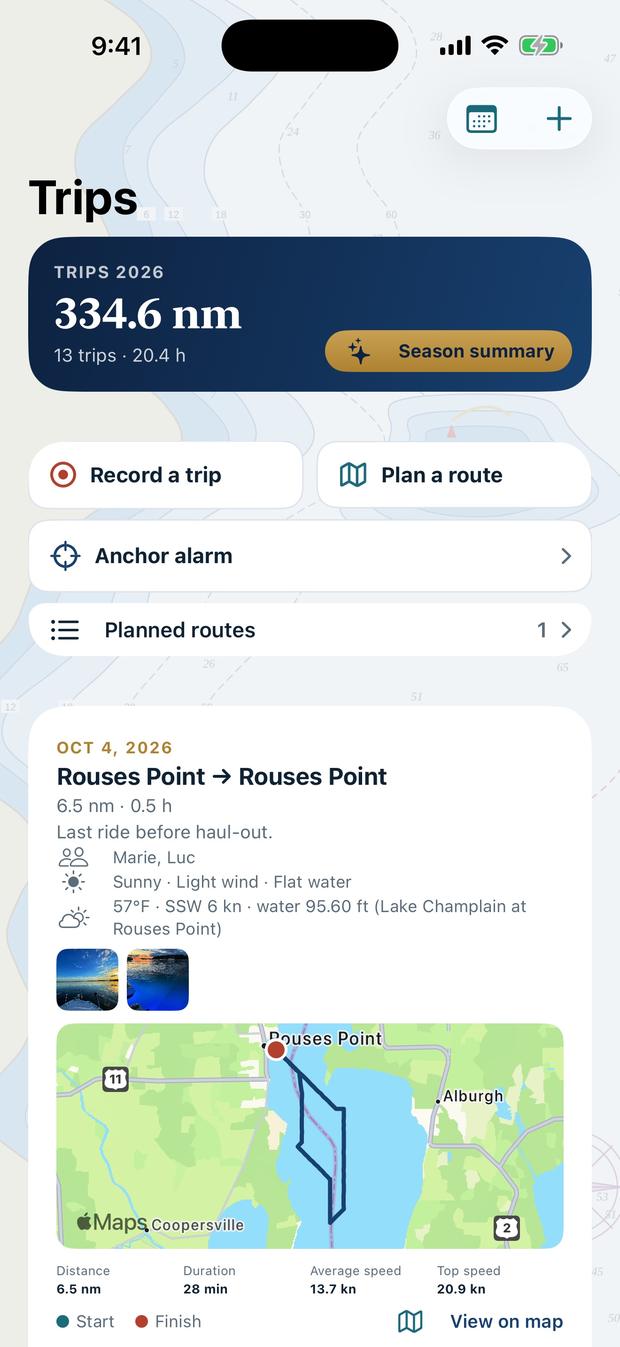
Dockbook’s Trips screen: the season’s distance, the latest trip with its map, weather and crew

What it does

A season on the water, written down by itself

Dockbook works while you’re out on the water. It notices when you leave the dock, keeps watch while you’re at anchor, and turns every outing into a page of your boat’s history.

Automatic trips

Leave the dock. The logbook fills itself in.

Dockbook detects when you leave your marina or anchorage and records the trip in the background, then names it after your saved places or the nearest marina, bay or town.

  • Route, time, distance, speeds and fuel for every outing
  • Weather and water levels recorded along the way, hour by hour
  • A logbook page you can share as a PDF, and a replay on the map
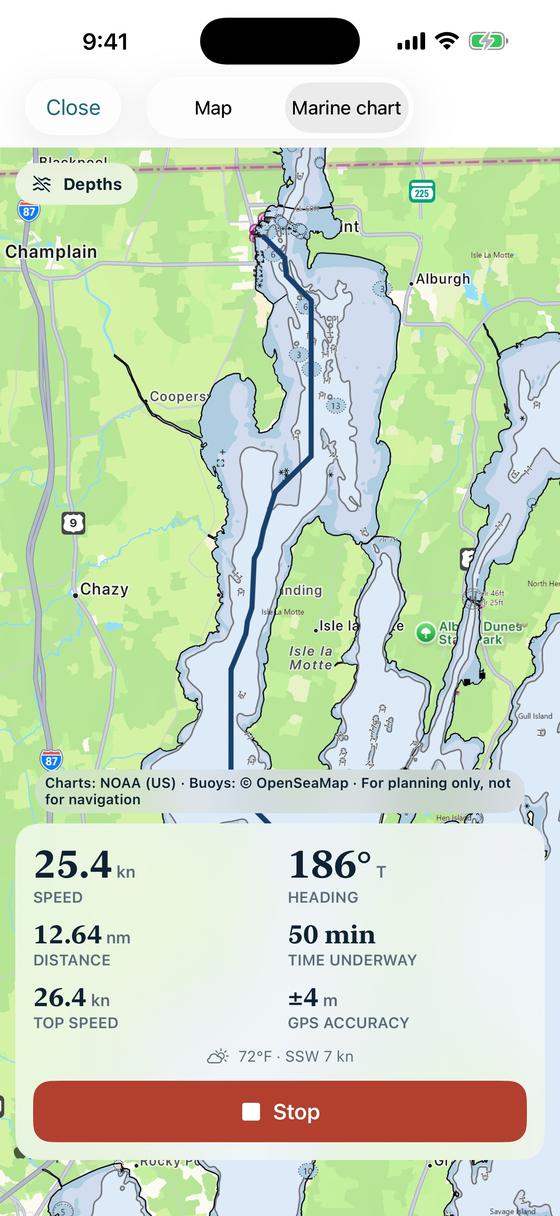
Recording a trip: the track on a chart, speed, heading, distance and time underway

Anchor watch

Sleep at anchor. Dockbook keeps the watch.

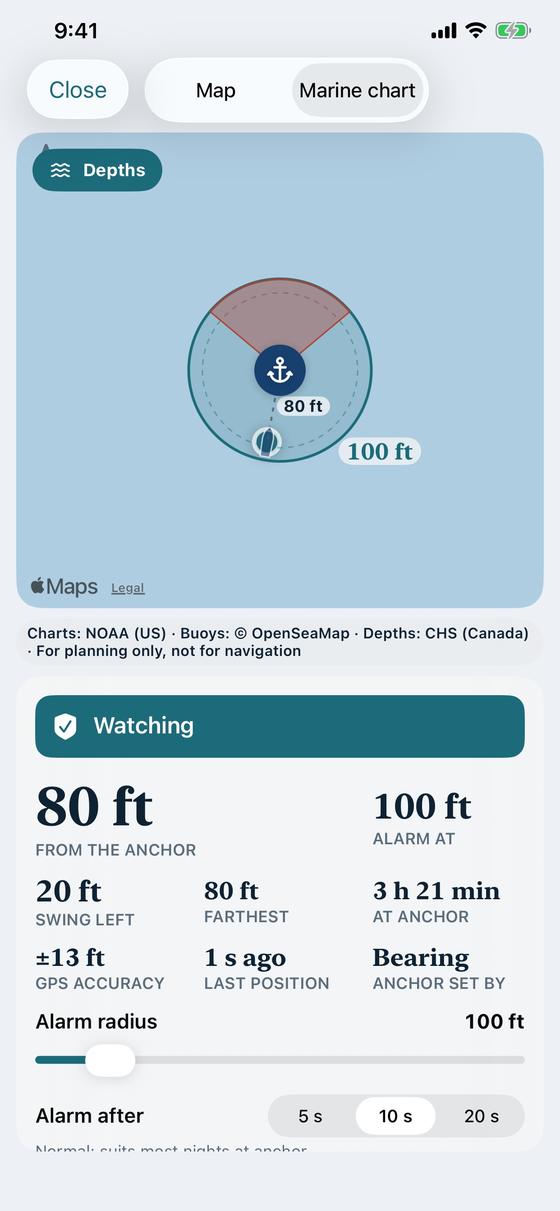
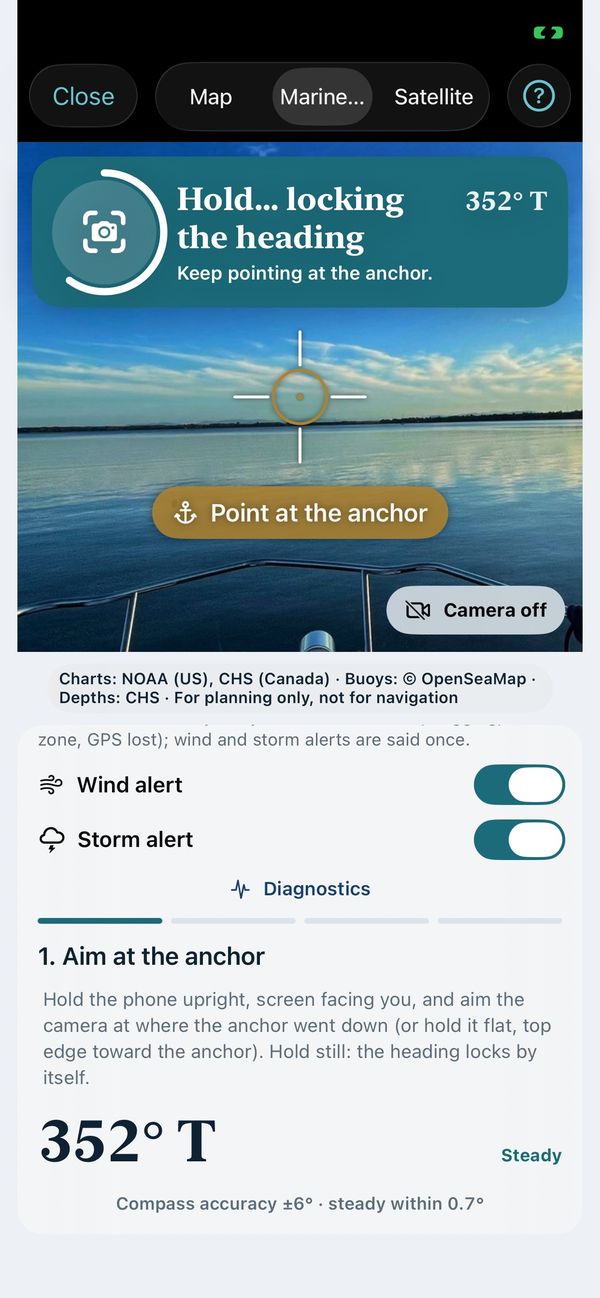
Mark the anchor where it went down, or ahead of the bow with the compass, then choose the swing circle. The alarm sounds if the boat starts dragging, even with the screen locked.

  • GPS smoothing to avoid false alarms
  • Wind and storm alerts for where you’re anchored
  • Map, marine chart or satellite under the circle
The anchor watch: the swing circle on the chart, distance from the anchor and the alarm radius

Weather & wind

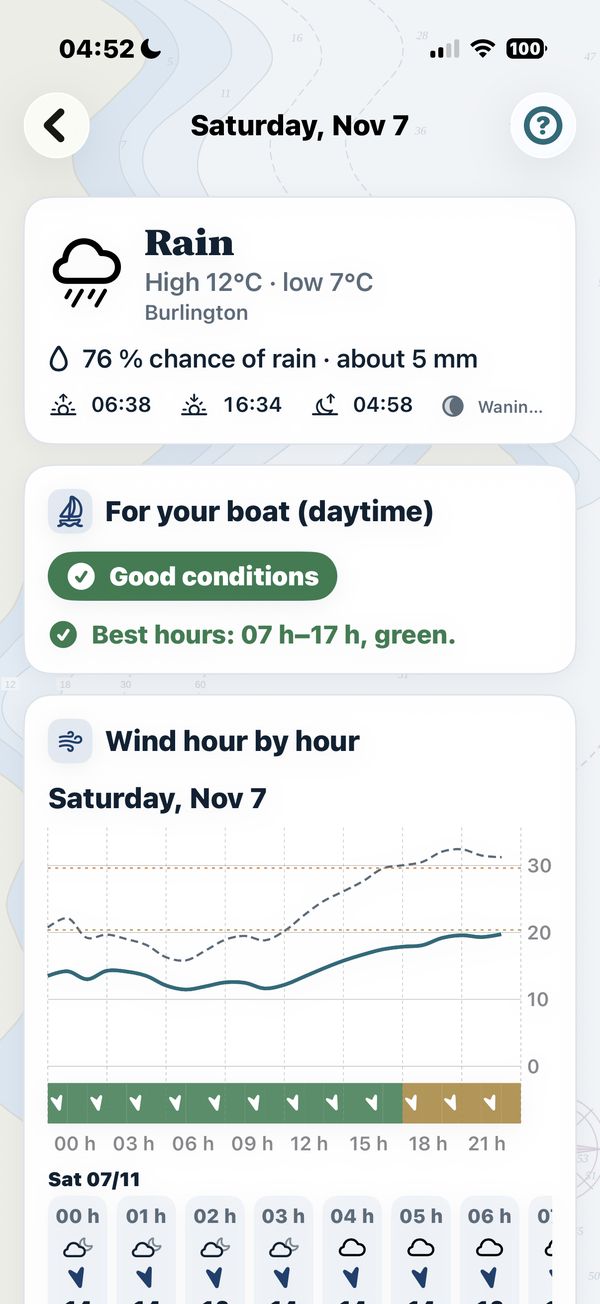
Weather forecasts tailored to your boat

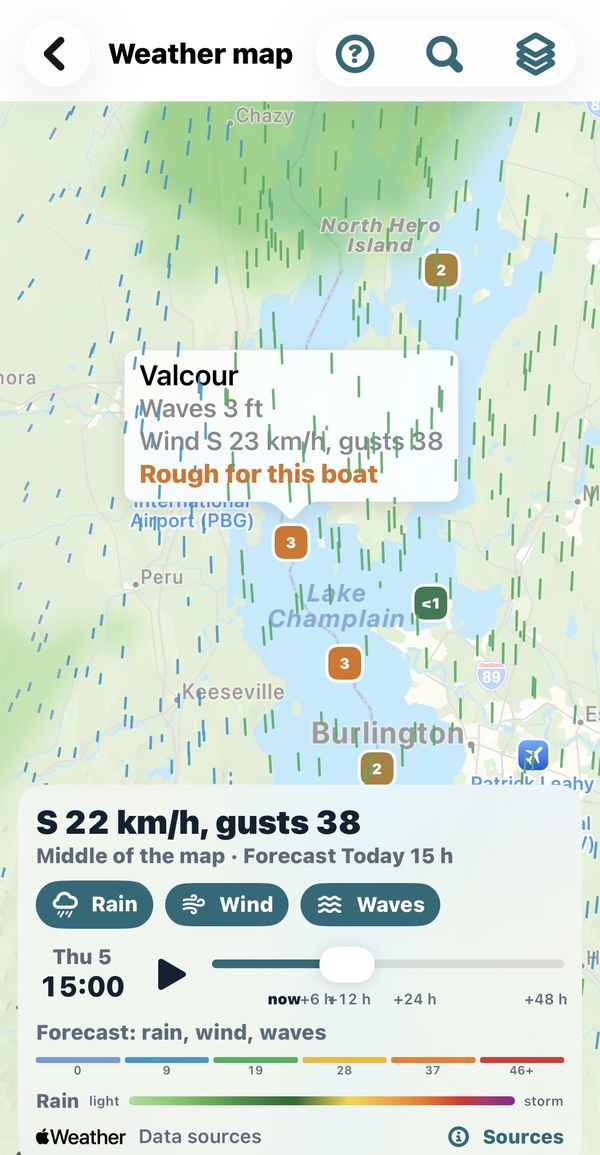
Set the wind, gust and wave limits (when available) that suit your boat and crew. Every hour of the next ten days is colour-coded green, yellow, orange or red against those limits.

  • Radar, rain forecast, wind and waves on one map with one time slider
  • Real-time readings from the nearest buoys and stations
  • The best time to leave along a planned route
The weather map on Lake Champlain: wind arrows, wave heights and a buoy reading marked rough for this boat, with one time slider

Fuel, maintenance and true cost

Know what your boat really costs, per hour

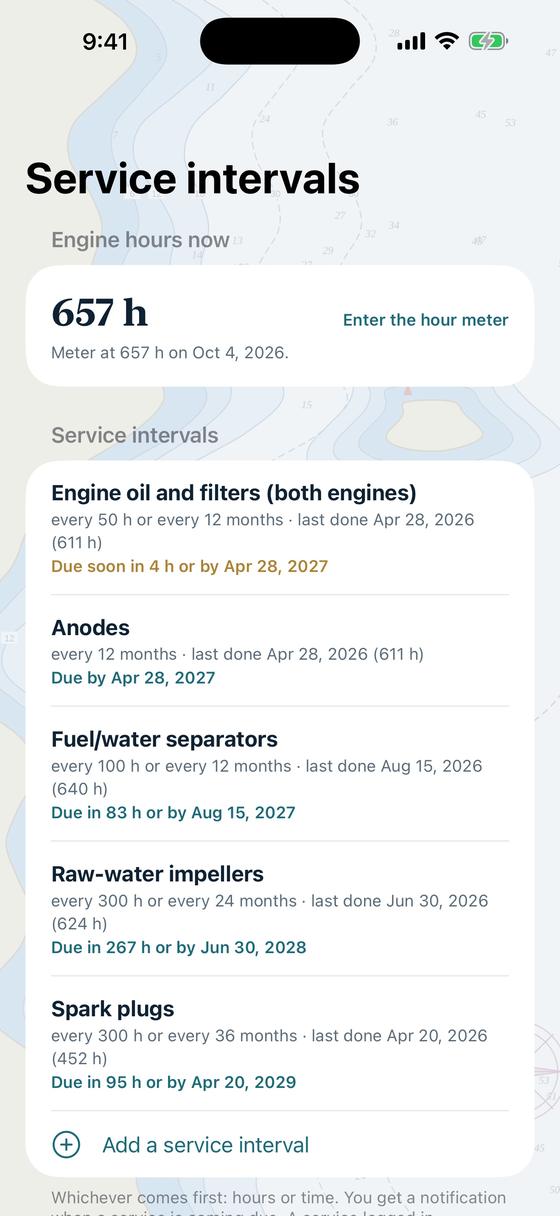
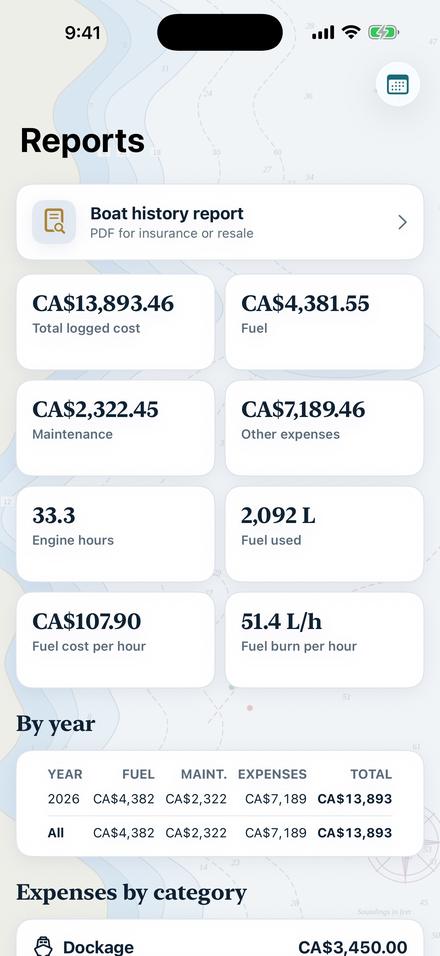
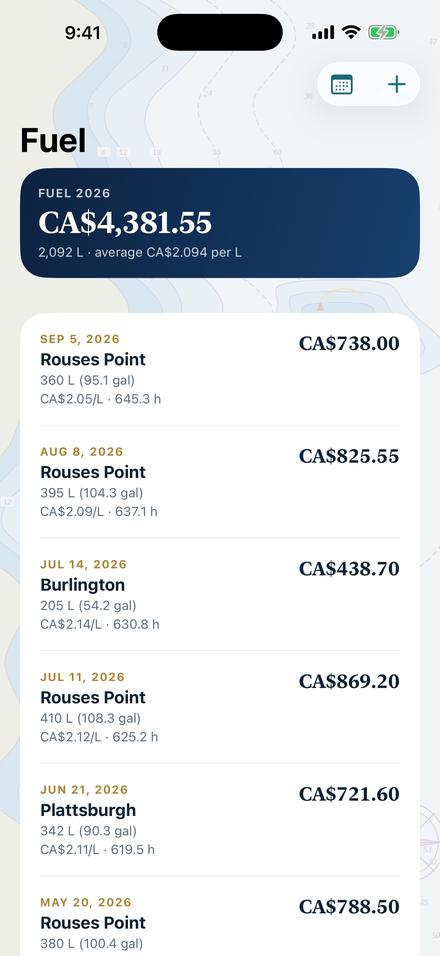
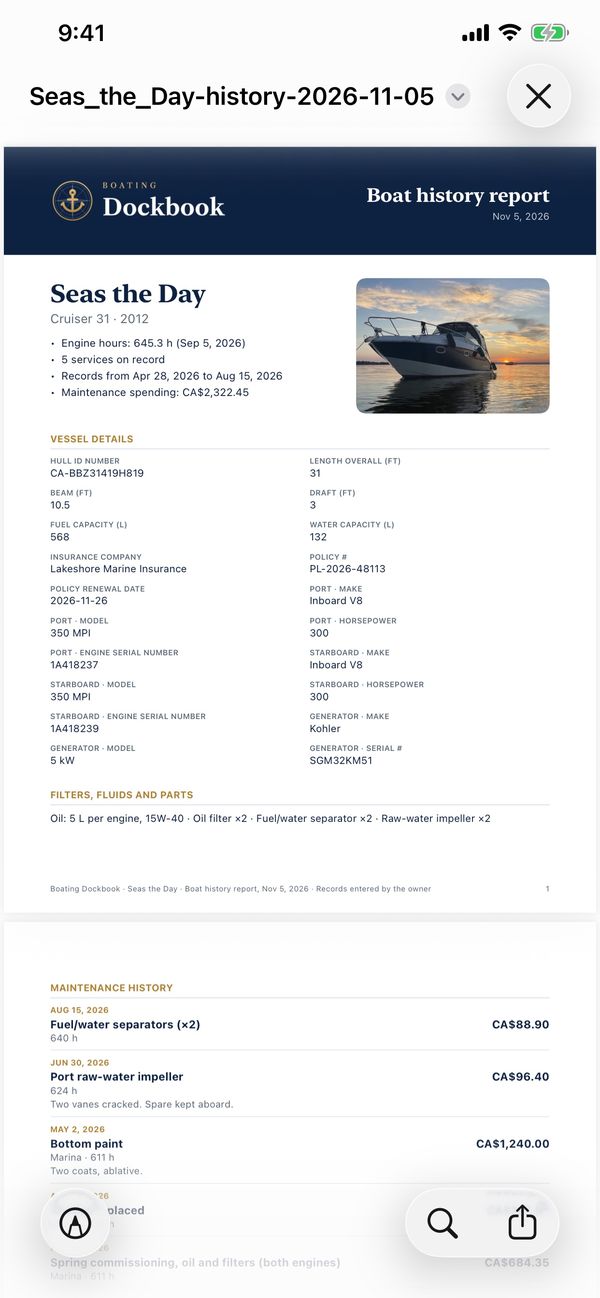
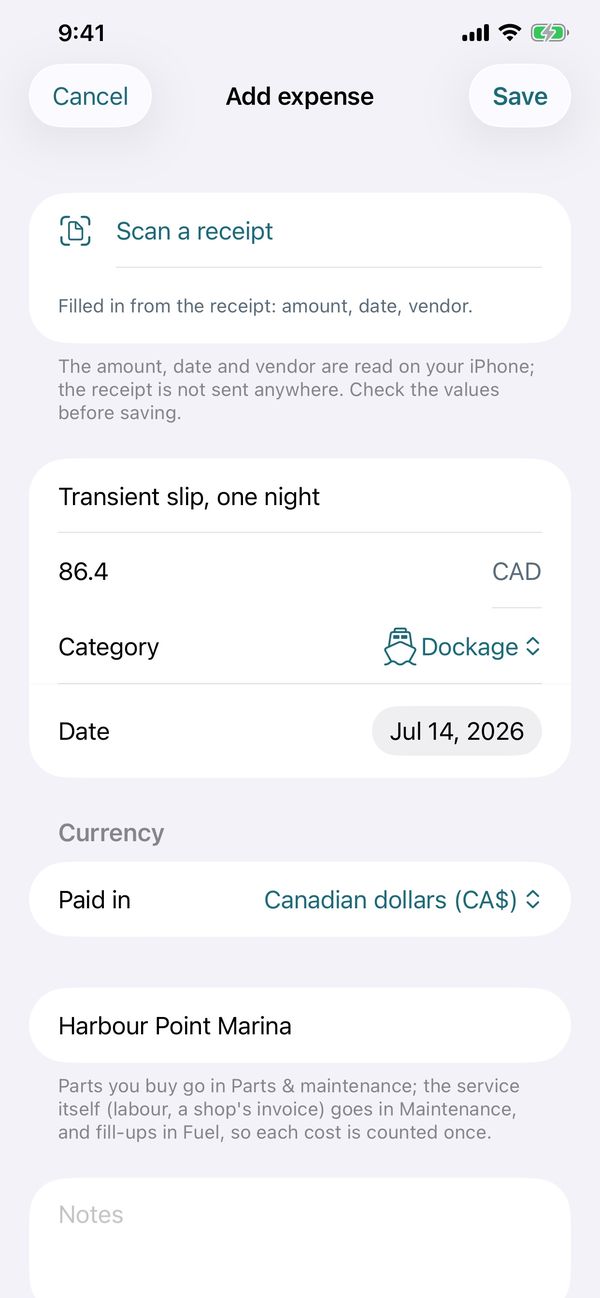
Log fill-ups and services in seconds, scan the receipt, and let Dockbook remind you when the next oil change or impeller replacement is due, by engine hours or by date.

  • Service intervals per engine, with serial numbers and parts
  • A to-do list linked to what you need to buy for each job
  • The real cost per hour and per season, insurance and slip included
Service intervals by engine hours and by date, with what is due soon

Safety gear and papers

Ready for a safety check

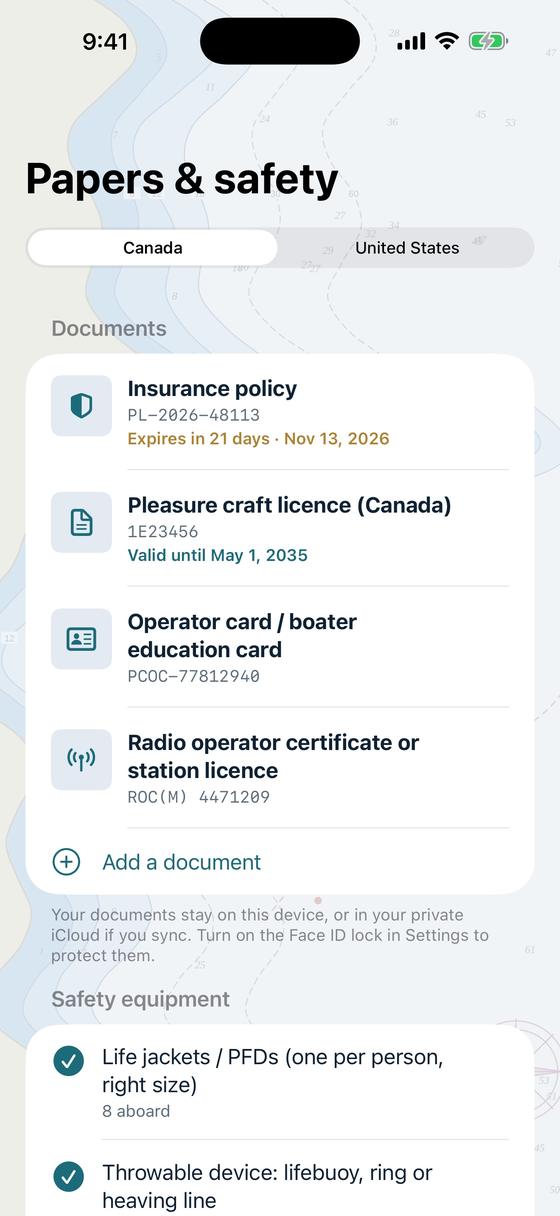
Dockbook identifies the equipment required for your boat’s size and waters, based on Transport Canada and U.S. Coast Guard rules, and tells you what’s missing or about to expire.

  • Flares, extinguishers, life jackets and lights, counted and dated
  • Licence, registration and insurance, with renewal reminders
  • A safety checklist to print or show on the phone
Papers and safety: insurance, licence and operator card with their dates, and the safety equipment aboard

A look inside

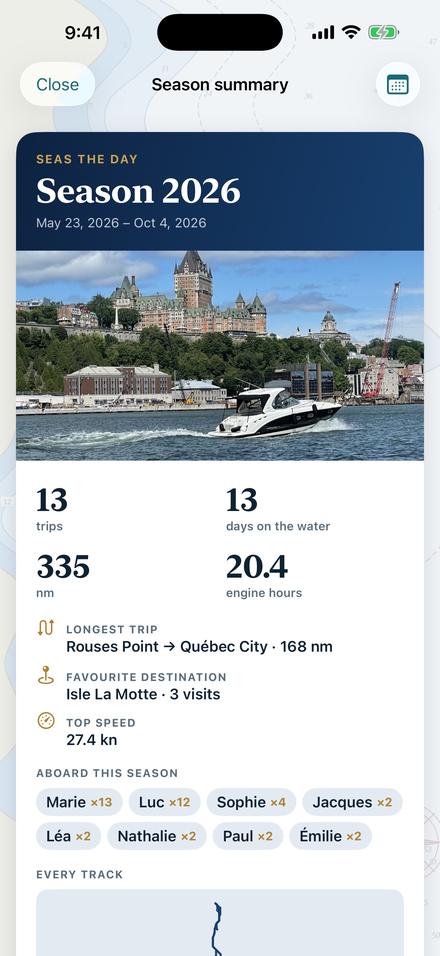
Your whole season, one tap away

And much more

The rest of the toolbox

Route planner

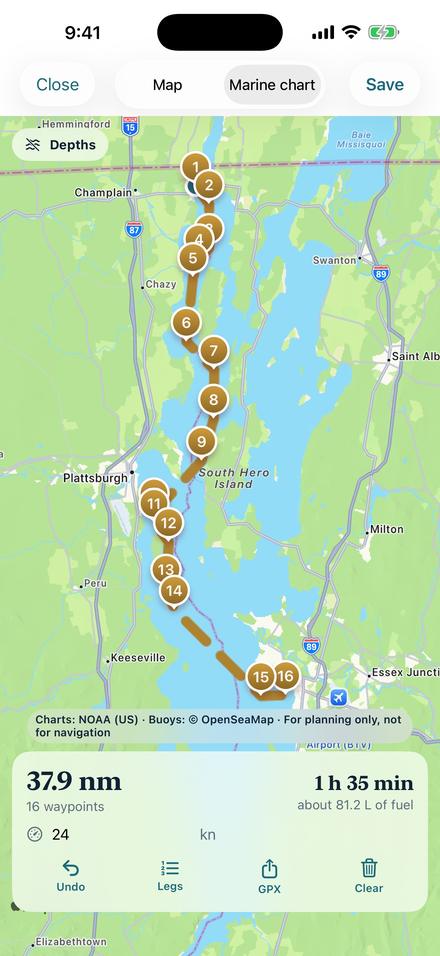
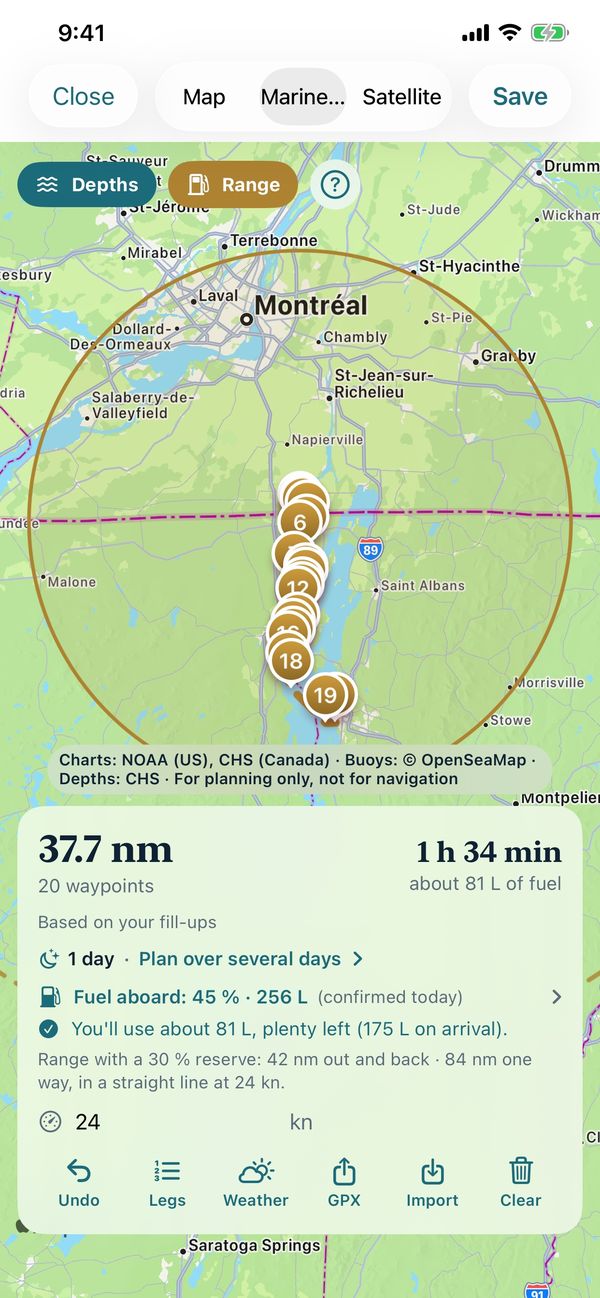
Marine charts, waypoints, multi-day trips with overnight stops and fuel range rings.

Your places

Anchorages, marinas and fuel docks with depth, bottom type, photos and notes.

iCloud on iPhone and iPad

Your boats, trips and settings on all your devices with the same Apple Account.

Season memory book

Your whole season as a PDF: trips, photos, costs and the logbook.

Lock screen and widgets

Trip recording and anchor watch live on the lock screen and Dynamic Island.

Import and export

GPX tracks and routes, spreadsheets (CSV) and full password-protected backups.

Face ID

Keep your logbook, papers and costs private on a shared iPad.

Siri and Shortcuts

“Start a trip” or “Watch the anchor” without opening the app.

Four languages

English, French, Italian and Spanish, with your choice of units.

Why Dockbook

One app instead of several

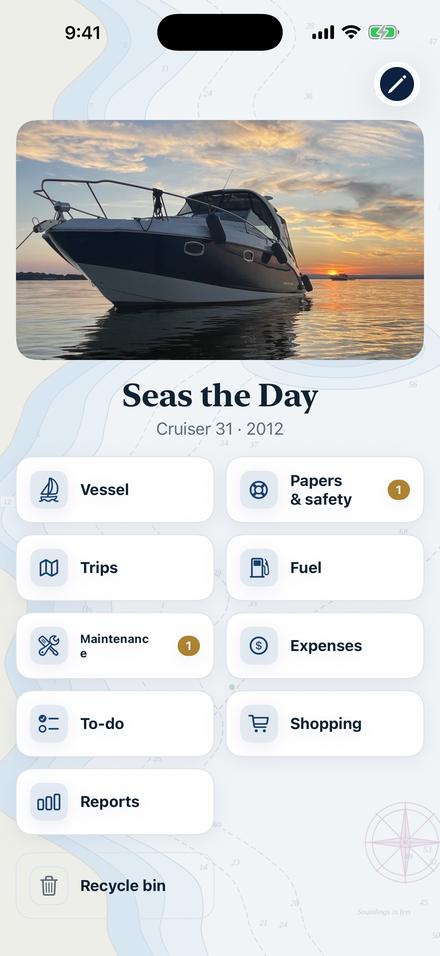
Most boaters keep a paper logbook for trips, a notes app for services and maintenance, a weather app and an anchor alarm. Dockbook brings them together and connects them: your trips fill the engine hours, the hours trigger the services, the services fill the shopping list.

DockbookPaper logbookSeparate apps
Automatic trip recording✓—Some
Weather rated against your limits✓—Rarely
Anchor alarm with GPS smoothing✓—One more app
Maintenance reminders by engine hours✓By handRarely
Safety gear checked against the rules✓By hand—
True cost per hour and per season✓—A spreadsheet
Everything in one place, on iPhone and iPad✓——

Privacy

Your boat’s history belongs to you

Your logbook stays on your devices and in your own iCloud account. No ads, no tracking, no account to create. Back everything up to a single file whenever you like.

Read the privacy policy

Questions

Before you cast off

Does Dockbook work without cellular coverage?

Yes. Trips, the anchor watch and your logbook work offline. Weather and charts load when you have a connection, and trips get their weather once you’re back in range.

What boats does Dockbook support?

Powerboats, sailboats and personal watercraft, with one or several engines: outboard, sterndrive, inboard or saildrive. You can keep several boats.

Can I use Dockbook on a Wi‑Fi‑only iPad?

Yes, for everything at the dock. A Wi‑Fi‑only iPad has no GPS, so let your iPhone record the trips and watch the anchor: they appear on the iPad through iCloud.

Can I bring my existing logbook?

Import trips from GPX files and your records from a spreadsheet (CSV). Dockbook matches them to your boat.

Is it a navigation app?

No. Dockbook’s charts and weather are for planning. Always carry official charts and all the safety equipment required for your boat and waters.